Airtime, data, light and TV. Paid from one wallet.
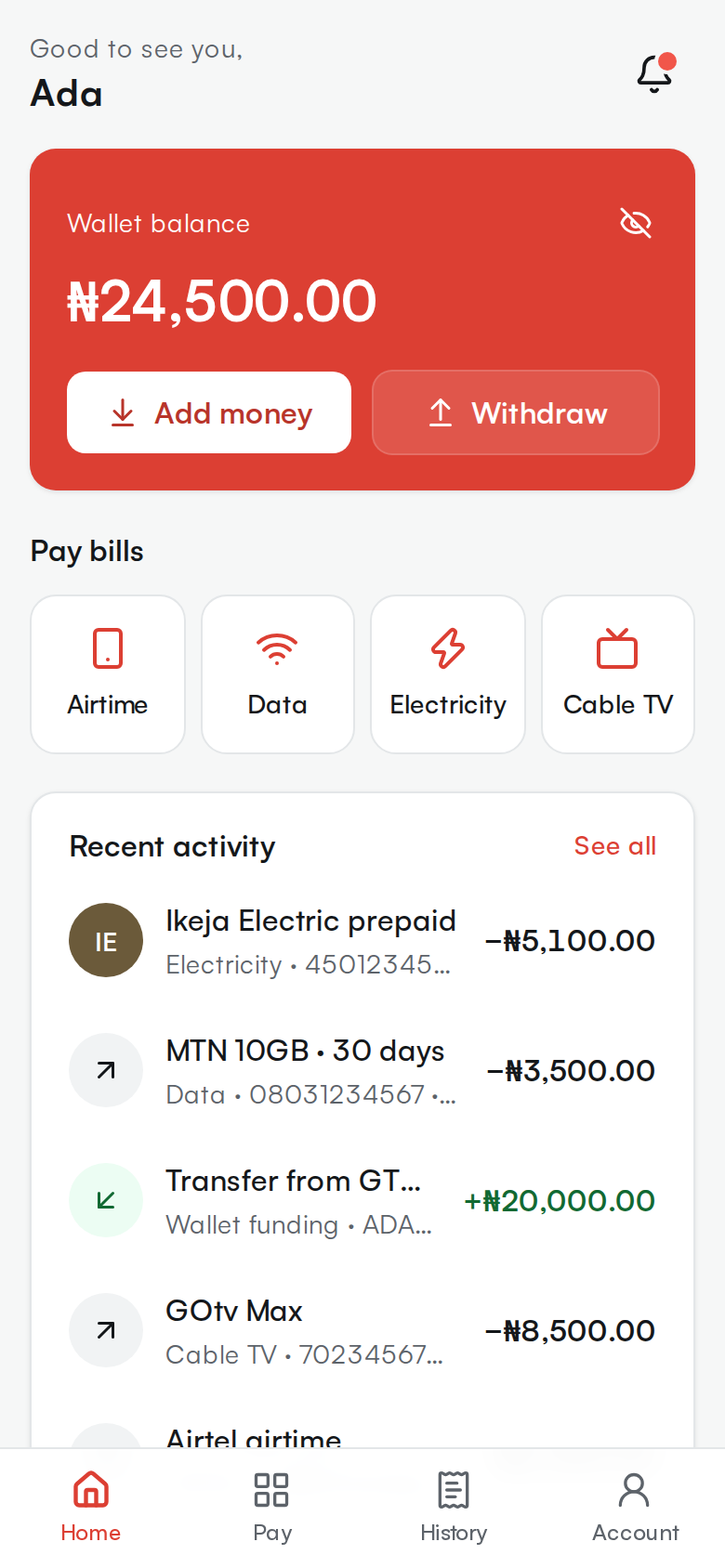
Send money to your NexaBill account number from any bank, then buy airtime, data, a meter token or a TV subscription in a few taps. Every payment needs your PIN and leaves a receipt you can find later.
No fee on airtime or data. Adding money is free. And if a payment fails, you get every naira back.
Pay for
 MTN
 Airtel
 Glo
 9mobile
Airtime and data
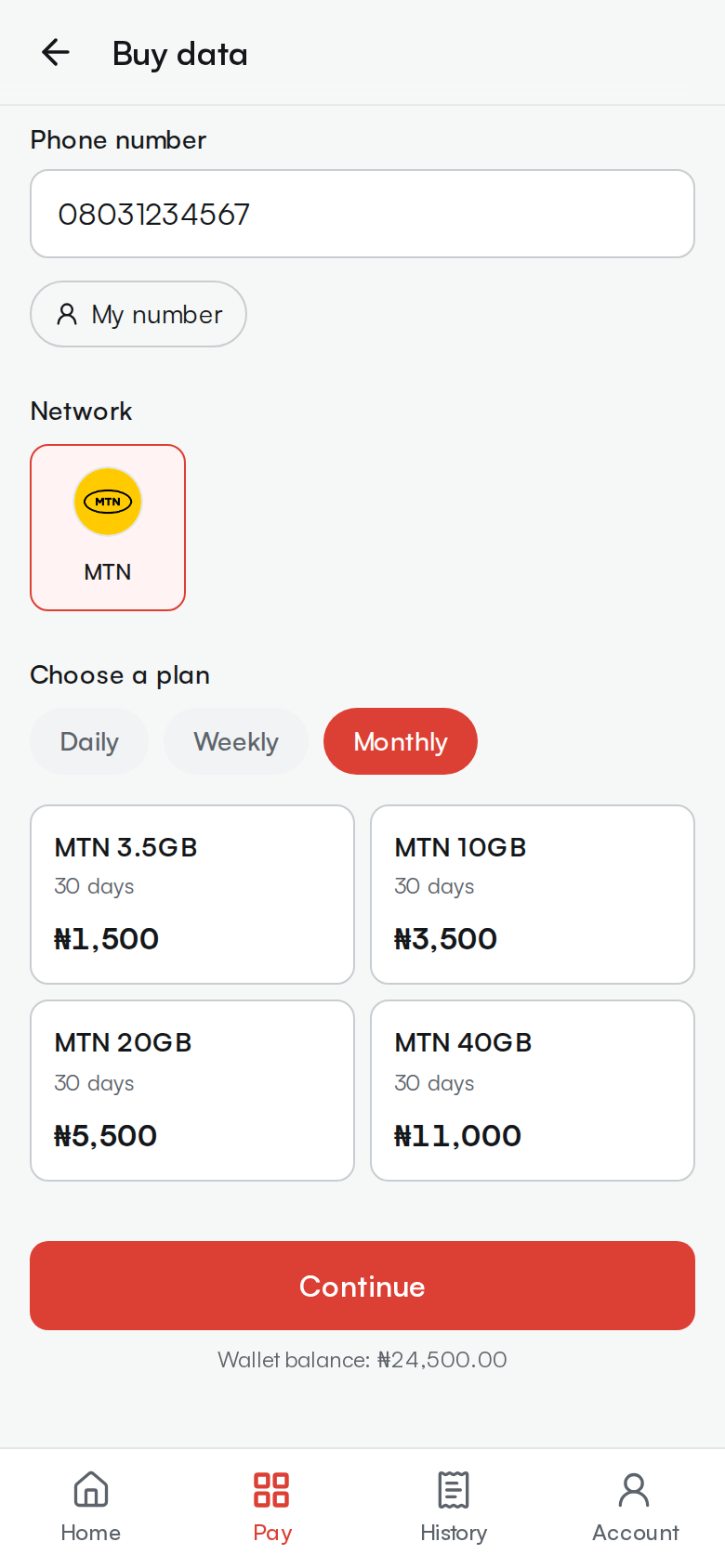
Type the number. We'll work out the network.
Data plans are split into daily, weekly and monthly, with the price and how long each one lasts written out plainly. No more guessing which bundle is which.
- Airtime from ₦50 on MTN, Airtel, Glo and 9mobile, at face value.
- The network's price for data. We don't add anything on top.
- Saved numbers for the people you top up every month.
- Ported number? Switch the network yourself before you pay.
Light gone at 10pm? Buy a token without leaving the house.
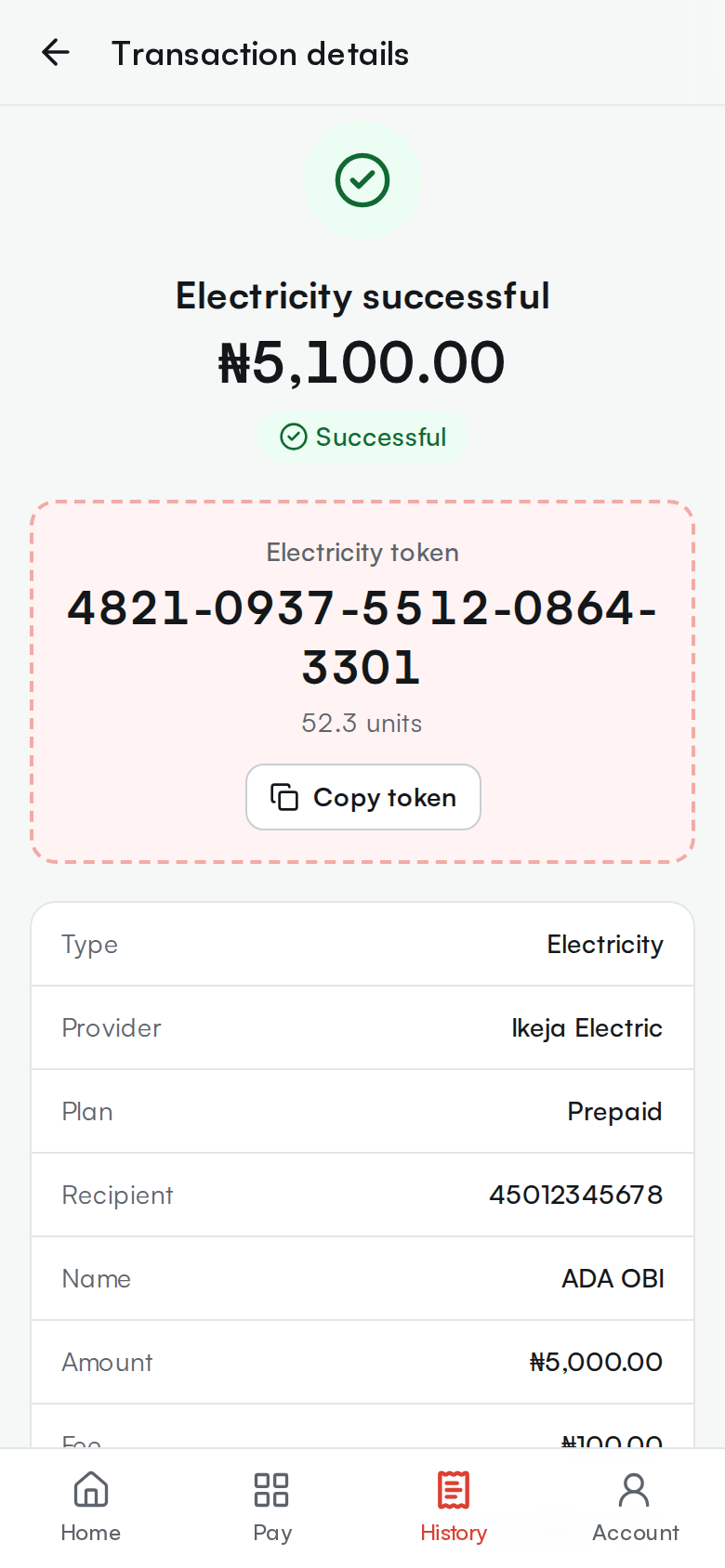
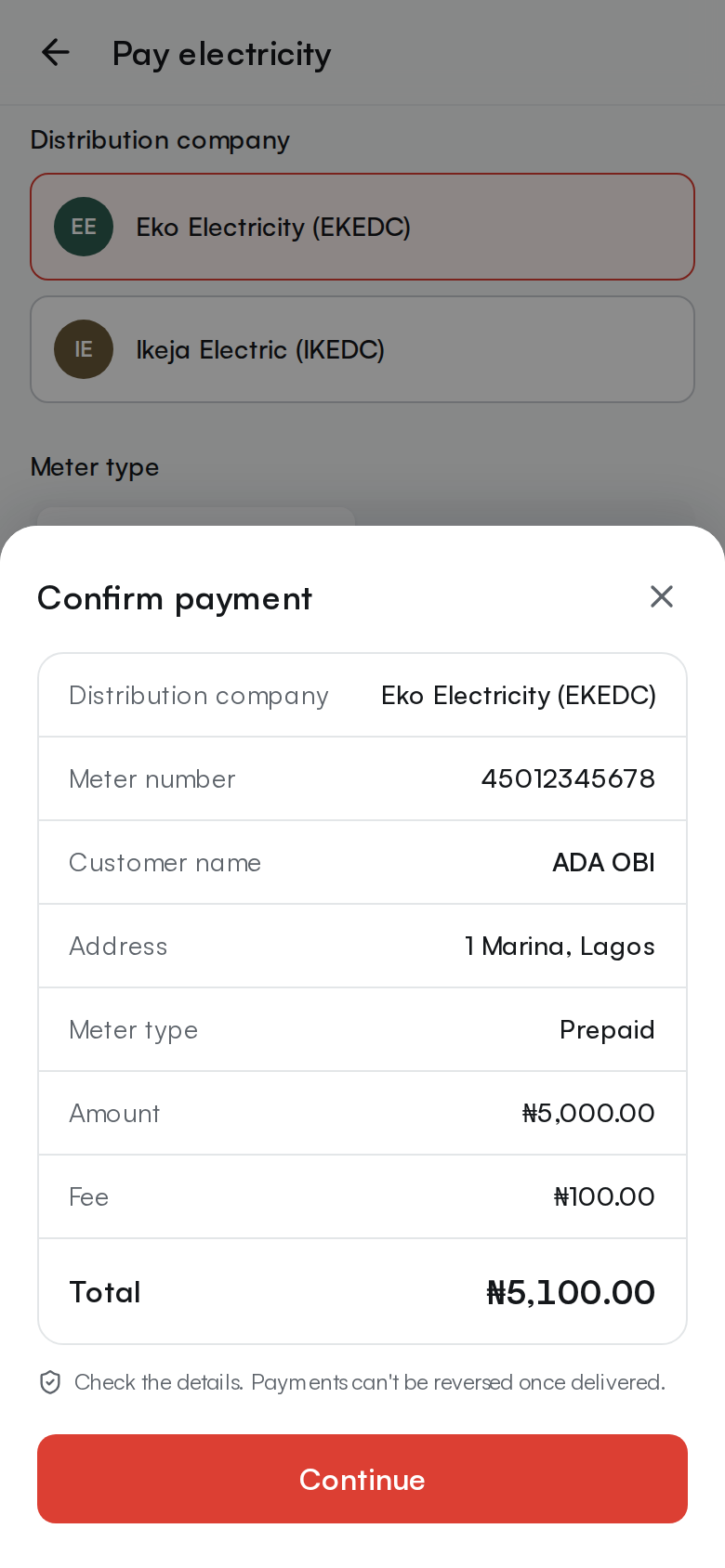
Prepaid and postpaid meters. Before you pay, you see the name registered to the meter, so the money doesn't land on someone else's. If your network drops or the app closes, the token is still waiting in your history.
Electricity companies you can pay
- Abuja Electric (AEDC)
- Benin Electric (BEDC)
- Eko Electric (EKEDC)
- Enugu Electric (EEDC)
- Ibadan Electric (IBEDC)
- Ikeja Electric
- Jos Electric (JED)
- Kaduna Electric
- Kano Electric (KEDCO)
- Port Harcourt Electric (PHED)
- Yola Electric (YEDC)
Renew DStv before the match starts.
Enter your smartcard or IUC number and check the name that comes back. Pick your package from the provider's current price list, enter your PIN, and you're back on. GOtv and StarTimes work the same way.
- DStv
- Pay with your smartcard number
- GOtv
- Pay with your IUC number
- StarTimes
- Pay with your smartcard number
Packages and prices come straight from each provider, so what you see is the current list.
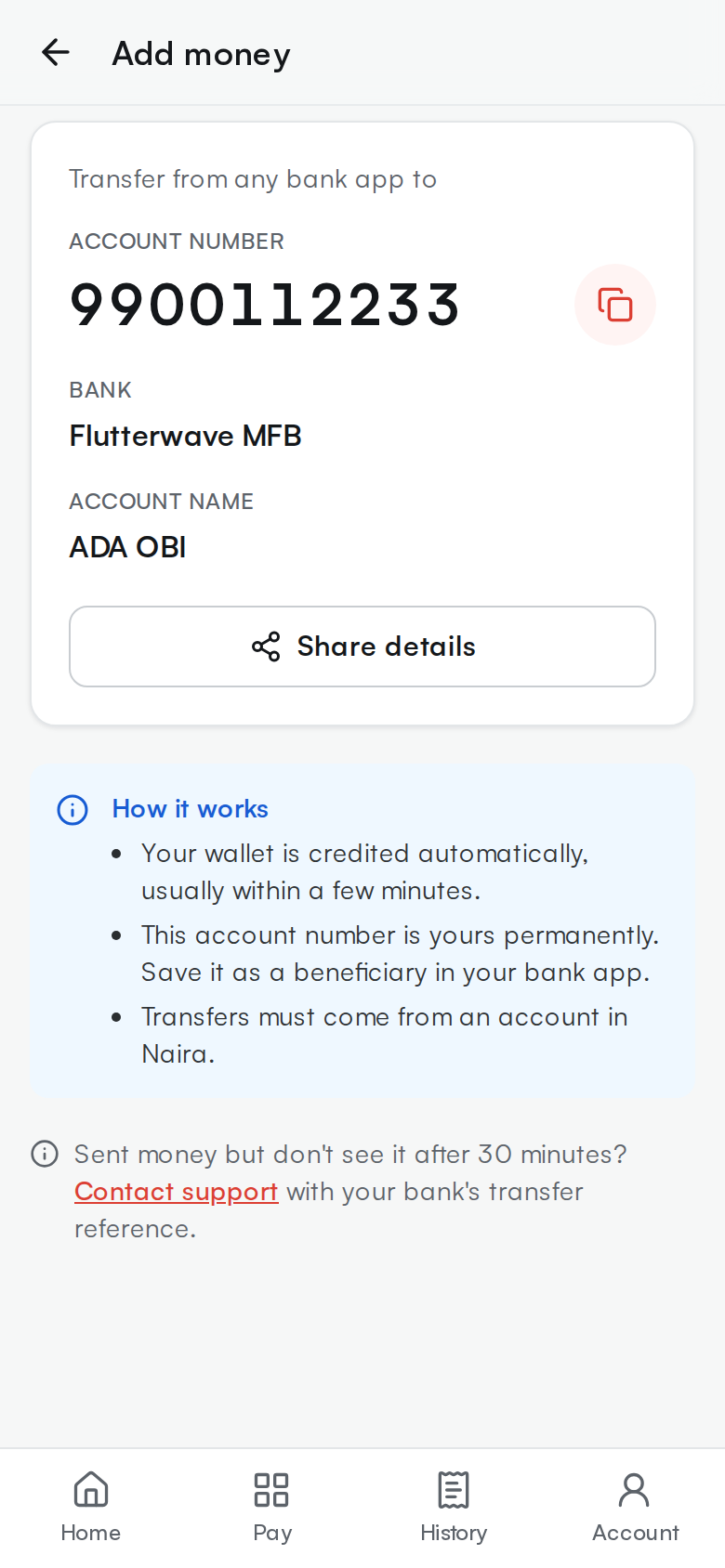
Your own account number. Top it up from any bank.
Adding money
Verify your identity once and you get a permanent account number in your name. Send money to it from any Nigerian bank app or USSD. It usually lands in your wallet within a few minutes, and we let you know when it does.
Withdrawing
Changed your mind? Send your balance back to any Nigerian bank account. You see the account name before you confirm. ₦100 to ₦50,000 per withdrawal, with a fee of ₦10 or ₦25 plus VAT depending on the amount.
What it costs
No monthly fee and no maintenance fee. If something costs money, you see it on the confirmation screen before you enter your PIN.

Price list
| Service | Fee |
|---|---|
| Opening an account | Free |
| Adding money by bank transfer The full amount you send is credited. | Free |
| Airtime You pay the face value. | No fee |
| Data bundles Plan prices as set by each network. | No fee |
| Electricity Set by the electricity company and shown before you confirm. | Provider fee |
| Cable TV Set by the TV provider and shown before you confirm. | Provider fee |
| Withdrawal up to ₦5,000 The exact fee is shown before you confirm. | ₦10 + VAT |
| Withdrawal from ₦5,001 to ₦50,000 | ₦25 + VAT |
Thank you for paying with NexaBill
Spending limits
Nigerian rules tie how much you can spend to how much of your identity is verified. The daily limit covers bill payments and withdrawals together.
- 01
Email confirmed
Sign up and confirm your email. You can look around, but paying needs a verified identity.
Browse only
- 02
Level 1
BVN or NIN verified. You also get your own account number for adding money.
₦50,000 a day
- 03
Level 2
Both BVN and NIN verified. For people who pay larger bills or pay for family.
₦200,000 a day
When a payment gets stuck
It happens. Networks and electricity companies sometimes take their time to reply. Every payment ends up in one of three places, and your history always tells you which.
- Successful
Delivered. The receipt is saved, and for prepaid electricity the token is on screen and in your history.
- Pending
The provider hasn't answered yet. We keep checking for you, starting within seconds, so don't pay again. If it's still unclear after 48 hours, someone on our team sorts it out by hand.
- Failed
The provider confirmed it didn't go through. Every naira, fee included, goes straight back to your wallet.
Still looks wrong? Open the payment and tap Get help. The reference goes with your message, so you don't have to explain twice.
Keeping your money safe
Payments go through Flutterwave and identity checks through Monnify. On top of that, this is what we do ourselves.
- Your PIN approves every payment
- It's checked on our servers, not stored on your phone. Five wrong tries and payments lock for 15 minutes.
- Sign-in protection
- Ten failed sign-ins lock the account for 15 minutes. Change your password and every other device is signed out.
- Identity numbers are encrypted
- We check that your BVN or NIN details match the official record, then store the number encrypted. We never see your bank accounts.
- Every naira is accounted for
- Each payment, refund and deposit is written down as a matching debit and credit, so your balance always matches your history.
Questions people ask us
Something else on your mind? Email [email protected].
How do I add money to my wallet?
Verify your BVN or NIN once and you get a permanent account number. Transfer to it from any Nigerian bank app and your wallet is credited automatically, usually within minutes.
Why do I need to verify my BVN or NIN?
Nigerian regulations require every wallet to be linked to a verified identity. We only check that the details you enter match the official record; we never get access to your bank accounts.
My payment says pending. What happens now?
The provider hasn't confirmed delivery yet. We keep checking automatically. If the payment succeeds you'll be notified; if it fails, the full amount is returned to your wallet. Your money is never lost while a payment is pending.
I paid for electricity but closed the app before seeing my token.
Open History and tap the payment. Your token is always saved there, and it is also sent to your notifications.
A payment failed. When do I get my money back?
When a provider tells us a payment failed, the full amount is returned to your wallet immediately. You will see "Failed · Refunded" on the transaction.
Are there any fees?
Airtime and data are free of extra charges. Some electricity and cable TV payments carry a small provider fee, and bank withdrawals carry a transfer fee. Every fee is shown before you confirm.
I forgot my transaction PIN.
Go to Account, then Transaction PIN, and choose "Forgot your PIN?". You can set a new PIN after confirming your password.
Is my money safe?
Every naira is tracked in a double-entry ledger, every payment needs your PIN, and identity numbers are encrypted. Payments run through licensed providers.
Got a bill due today?
Opening an account takes about two minutes. Have your email, phone number and your BVN or NIN ready.